Routing and Local Storage
1 App Development
1.1 A New Page on Battles
We want to create a new page that should open when the user wants to enquire more about a portfolio work i.e. a battle in our case. So, we need to add a button, and create a route for this.
Another way is to make the whole list item clickable. This is achieved using GestureDetector or InkWell. Both provide the click/tap functionality, but GestureDetector has more options, and InkWell has a nice ripple effect.
We change the file battle_view.dart to include an InkWell.
    import 'package:flutter/material.dart';
    import 'package:course_app/utils/battle.dart';

    class BattleView extends StatelessWidget {
      final List<Battle> battles;

      BattleView(this.battles);

      @override
      Widget build(BuildContext context) {
        return Expanded(
          child: Padding(
            padding: const EdgeInsets.symmetric(vertical: 8.0),
            child: ListView.builder(
              itemCount: battles.length,
              itemBuilder: (context, index) {
                final battle = battles[index];
                // wrap the container with InkWell for click handling
                return InkWell(
                  onTap: () {
                    // Handle the tap event here
                    // Here, I decided to show a SnackBar at the bottom
                    ScaffoldMessenger.of(context).showSnackBar(
                      SnackBar(content: Text('Tapped on ${battle.name}')),
                    );
                  },
                  // this part is the same as before
                  // we made the container a chold of InkWell
                  child: Container(
                    margin: EdgeInsets.symmetric(vertical: 5, horizontal: 10),
                    padding: EdgeInsets.all(10),
                    decoration: BoxDecoration(
                      color: Colors.grey[200],
                      border: Border.all(color: Colors.grey),
                      borderRadius: BorderRadius.circular(8),
                    ),
                    child: Column(
                      crossAxisAlignment: CrossAxisAlignment.start,
                      children: [
                        Text(
                          battle.name!,
                          style: TextStyle(fontWeight: FontWeight.bold, fontSize: 16),
                        ),
                        SizedBox(height: 5),
                        Text(battle.date!, style: TextStyle(fontSize: 14, fontStyle: FontStyle.italic)),
                      ],
                    ),
                  ),
                );
              },
            ),
          ),
        );
      }
    }
The following screenshot shows what happens after clicking on one of the elements.
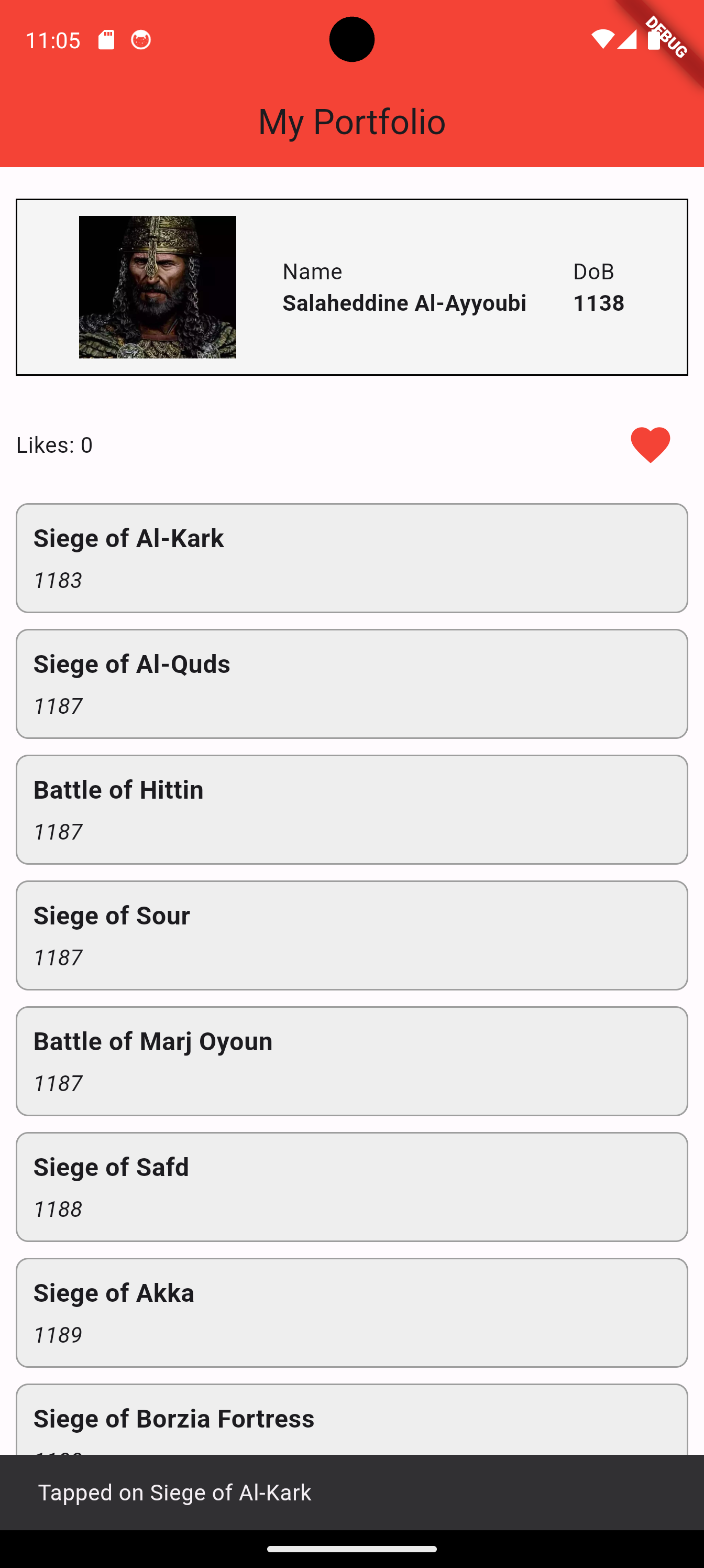
Next, we need to actually move to a new page when we click on a portfolio item. For this, we create routes in the main function as follows.
    import 'package:flutter/material.dart';
    import 'package:course_app/pages/home.dart';
    import 'package:course_app/pages/battle_screen.dart';

    void main() {
      runApp(MaterialApp(
        home: Home(),
        routes: {
          '/battle': (context) => BattleScreen(),
        },
      ));
    }
We then create the BattleScreen class. Right now, it does say much.
    import 'package:flutter/material.dart';

    class BattleScreen extends StatelessWidget
    {
      Widget build(BuildContext context)
      {
        return Scaffold(
          appBar: AppBar(
              title: Text('Some Battle'),
              backgroundColor: Colors.red,
              centerTitle: true,
            ),
            body: Text('Battle Info'),
        );
      }
    }
We then update BattleViewer as follows. We use Navigator.pushNamed() to navigate to target page.
    import 'package:flutter/material.dart';
    import 'package:course_app/utils/battle.dart';

    class BattleView extends StatelessWidget {
      final List<Battle> battles;

      BattleView(this.battles);

      @override
      Widget build(BuildContext context) {
        return Expanded(
          child: Padding(
            padding: const EdgeInsets.symmetric(vertical: 8.0),
            child: ListView.builder(
              itemCount: battles.length,
              itemBuilder: (context, index) {
                final battle = battles[index];
                // wrap the container with InkWell for click handling
                return InkWell(
                  onTap: () {
                    // Handle the tap event here
                    // Navigate the page situated at '/battle'
                    Navigator.pushNamed(context, '/battle');
                  },
                  // this part is the same as before
                  // we made the container a chold of InkWell
                  child: Container(
                    margin: EdgeInsets.symmetric(vertical: 5, horizontal: 10),
                    padding: EdgeInsets.all(10),
                    decoration: BoxDecoration(
                      color: Colors.grey[200],
                      border: Border.all(color: Colors.grey),
                      borderRadius: BorderRadius.circular(8),
                    ),
                    child: Column(
                      crossAxisAlignment: CrossAxisAlignment.start,
                      children: [
                        Text(
                          battle.name!,
                          style: TextStyle(fontWeight: FontWeight.bold, fontSize: 16),
                        ),
                        SizedBox(height: 5),
                        Text(battle.date!, style: TextStyle(fontSize: 14, fontStyle: FontStyle.italic)),
                      ],
                    ),
                  ),
                );
              },
            ),
          ),
        );
      }
    }
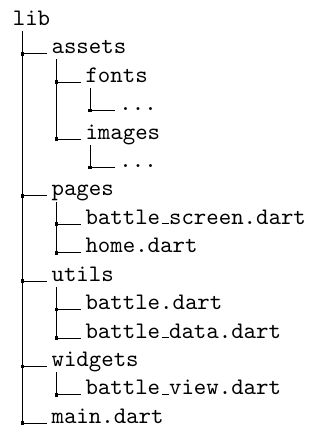
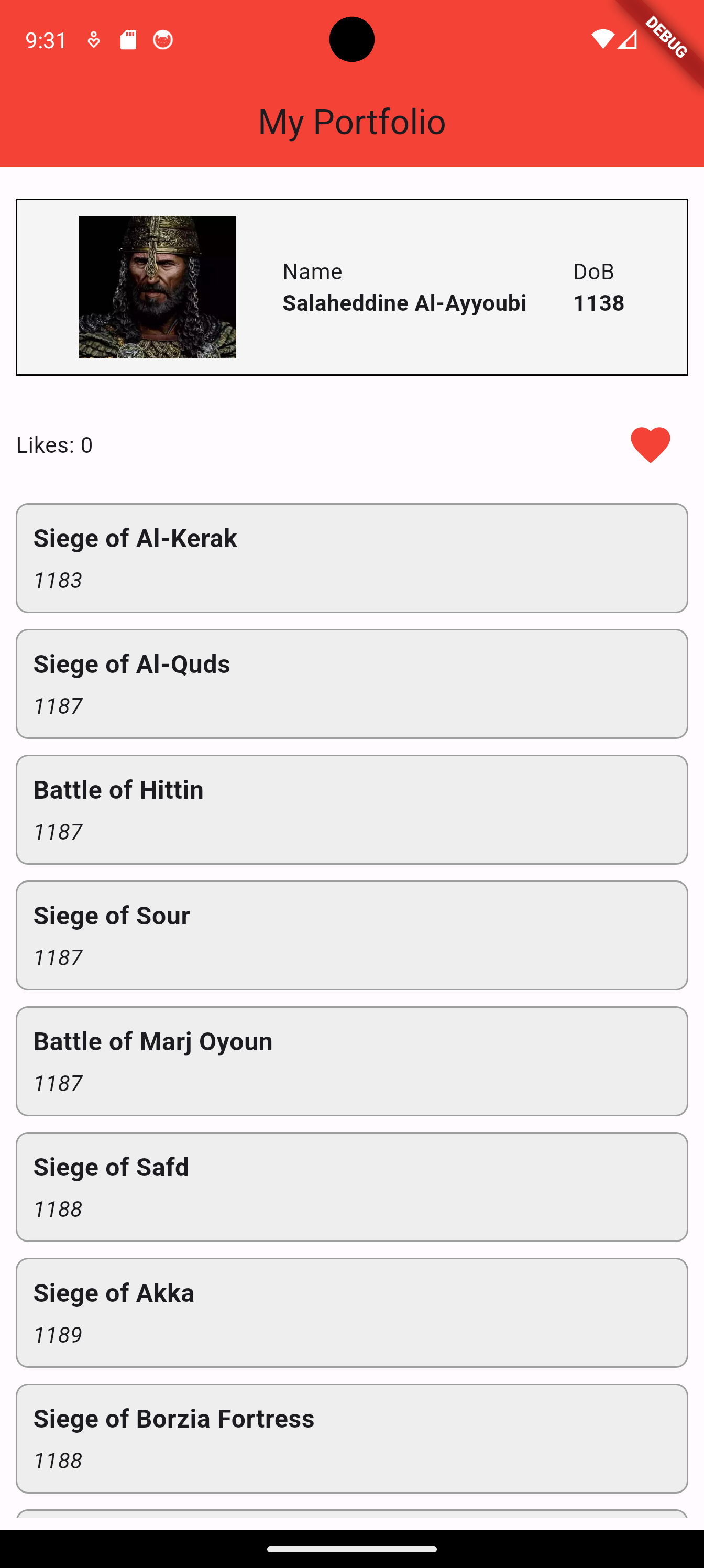
The new lib folder should look like:
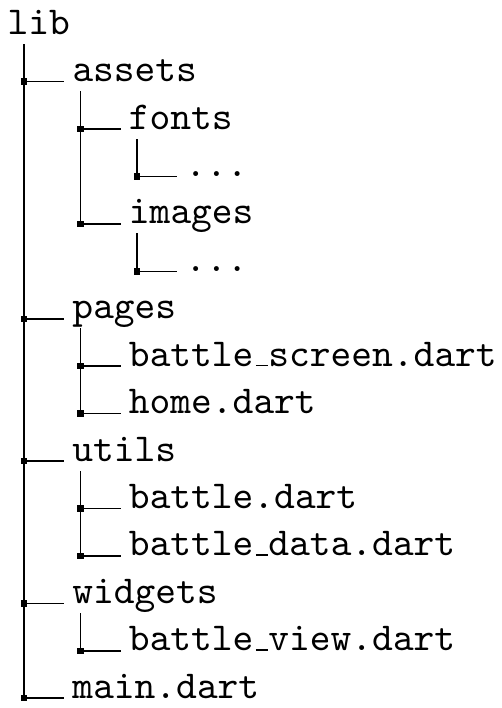
So far, our app is structured as follows.
The following are the listings of the new files.
1.1.1 main.dart
    import 'package:flutter/material.dart';
    import 'package:course_app/pages/home.dart';
    import 'package:course_app/pages/battle_screen.dart';
    void main() {
      runApp(MaterialApp(
        home: Home(),
        routes: {
          '/battle': (context) => BattleScreen(),
        },
      ));
    }
1.1.2 home.dart
    import 'package:flutter/material.dart';
    import 'package:course_app/widgets/battle_view.dart';
    import 'package:course_app/utils/battle_data.dart';

    class Home extends StatefulWidget {
      @override
      State<Home> createState() => _HomeState();
    }

    class _HomeState extends State<Home> {
      int likes = 0;

      Widget build(BuildContext context) {
        return Scaffold(
            appBar: AppBar(
              title: Text('My Portfolio'),
              backgroundColor: Colors.red,
              centerTitle: true,
            ),
            body: Column(
              children: [
                SizedBox(height: 20),
                Container(
                  decoration: BoxDecoration(
                      border: Border.all(color: Colors.black),
                      color: Colors.grey[100]),
                  padding: EdgeInsets.all(10),
                  margin: EdgeInsets.only(left: 10, right: 10),
                  child: Row(
                    mainAxisAlignment: MainAxisAlignment.spaceEvenly,
                    children: [
                      Image.asset(
                        'lib/assets/images/salah.jpeg',
                        width: 100,
                      ),
                      Column(
                        crossAxisAlignment: CrossAxisAlignment.start,
                        children: [
                          Text('Name'),
                          Text(
                            'Salaheddine Al-Ayyoubi',
                            style: TextStyle(fontWeight: FontWeight.bold),
                          ),
                        ],
                      ),
                      Column(
                        crossAxisAlignment: CrossAxisAlignment.start,
                        children: [
                          Text('DoB'),
                          Text(
                            '1138',
                            style: TextStyle(fontWeight: FontWeight.bold),
                          ),
                        ],
                      ),
                    ],
                  ),
                ),
                SizedBox(height: 20),
                Container(
                  padding: EdgeInsets.only(left: 10, right: 10),
                  child: Row(
                    mainAxisAlignment: MainAxisAlignment.spaceBetween,
                    children: [
                      Text('Likes: $likes'),
                      IconButton(
                        iconSize: 30,
                        icon: const Icon(Icons.favorite),
                        color: Colors.red,
                        onPressed: () {
                          setState(() {
                            likes++;
                          });
                        },
                      )
                    ],
                  ),
                ),
                // this is the widget responsible for showing the
                // portfolio items
                BattleView(battles),
              ],
            ));
      }
    }
1.1.3 battle_view.dart
    import 'package:flutter/material.dart';
    import 'package:course_app/utils/battle.dart';

    class BattleView extends StatelessWidget {
      final List<Battle> battles;

      BattleView(this.battles);

      @override
      Widget build(BuildContext context) {
        return Expanded(
          child: Padding(
            padding: const EdgeInsets.symmetric(vertical: 8.0),
            child: ListView.builder(
              itemCount: battles.length,
              itemBuilder: (context, index) {
                final battle = battles[index];
                return InkWell(
                  onTap: () {
                    Navigator.pushNamed(context, '/battle');
                  },
                  child: Container(
                    margin: EdgeInsets.symmetric(vertical: 5, horizontal: 10),
                    padding: EdgeInsets.all(10),
                    decoration: BoxDecoration(
                      color: Colors.grey[200],
                      border: Border.all(color: Colors.grey),
                      borderRadius: BorderRadius.circular(8),
                    ),
                    child: Column(
                      crossAxisAlignment: CrossAxisAlignment.start,
                      children: [
                        Text(
                          battle.name!,
                          style: TextStyle(fontWeight: FontWeight.bold, fontSize: 16),
                        ),
                        SizedBox(height: 5),
                        Text(battle.date!, style: TextStyle(fontSize: 14, fontStyle: FontStyle.italic)),
                      ],
                    ),
                  ),
                );
              },
            ),
          ),
        );
      }
    }
1.1.4 battle_screen.dart
    import 'package:flutter/material.dart';

    class BattleScreen extends StatelessWidget
    {
      Widget build(BuildContext context)
      {
        return Scaffold(
          appBar: AppBar(
              title: Text('Some Battle'),
              backgroundColor: Colors.red,
              centerTitle: true,
            ),
            body: Text('Battle Info'),
        );
      }
    }
1.1.5 battle.dart
    class Battle
    {
      String? date;
      String? name;

      Battle(String date, String name)
      {
        this.date = date;
        this.name = name;
      }
    }
1.1.6 battle_data.dart
    import 'package:course_app/utils/battle.dart';
    final List<Battle> battles = [
        Battle('1183', 'Siege of Al-Kark'),
        Battle('1187', 'Siege of Al-Quds'),
        Battle('1187', 'Battle of Hittin'),
        Battle('1187', 'Siege of Sour'),
        Battle('1187', 'Battle of Marj Oyoun'),
        Battle('1188', 'Siege of Safd'),
        Battle('1189', 'Siege of Akka'),
        Battle('1188', 'Siege of Borzia Fortress'),
        Battle('1188', 'Siege of Sohyoun Fortress'),
      ];
1.2 Passing Data with Routes
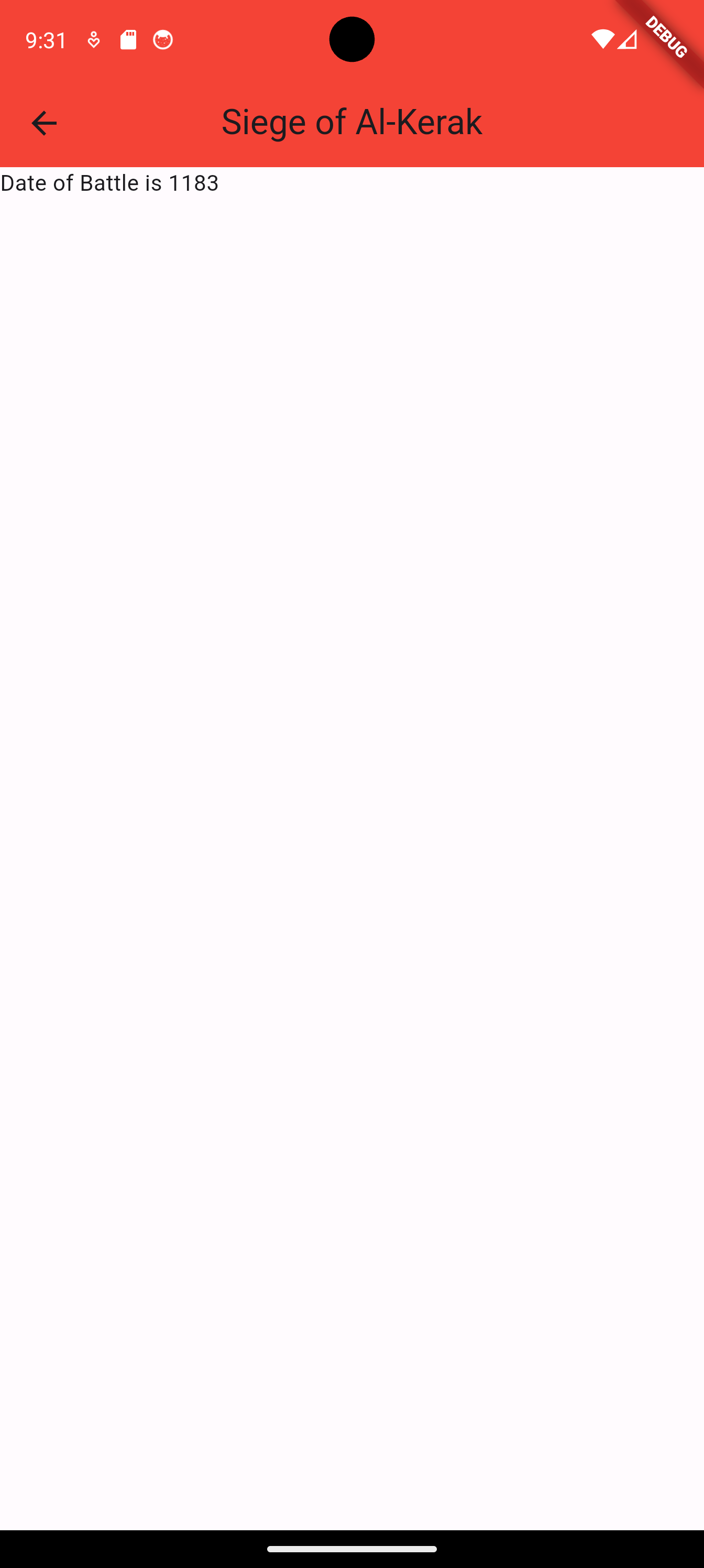
Our application has some routing and it can go to another page on a click of a button. However, right now, it displays constant content only, we need it to display content according to some parameters. We need to pass data with our route.
Right now, we pass data from class BattleView in file battle_view.dart, to class BattleScreen in battle_screen.dart.
In BattleView, we add the parameter arguments that specifies map of items that we want to pass.
    onTap: () {
     // Navigate the page situated at '/battle'
     // We add a new parameter: arguments which expects a map
     // We are free to name the arguments the way we want
     // This will send a battle object battles[index]
     // with the key 'battle'
     // We could have also used two parameters 'name' and
     // 'date' and sent them to the other end of the route
     Navigator.pushNamed(context, '/battle', arguments: {
       'battle': battles[index]
     });
   },
Then, in BattleScreen, we receive these arguments:
    Widget build(BuildContext context)
      {
        // We capture the arguments in the variable args
        final args = ModalRoute.of(context)!.settings.arguments as Map<String, dynamic>?;
        // We then get our data, in this case, a Battle object
        // If we received name and date, we will catch
        // everyone in a different variable
        Battle battle = args?['battle'];
        // ....
      }
The files after modification are:
battle_view.dart
    import 'package:flutter/material.dart';
    import 'package:course_app/utils/battle.dart';

    class BattleView extends StatelessWidget {
      final List<Battle> battles;

      BattleView(this.battles);

      @override
      Widget build(BuildContext context) {
        return Expanded(
          child: Padding(
            padding: const EdgeInsets.symmetric(vertical: 8.0),
            child: ListView.builder(
              itemCount: battles.length,
              itemBuilder: (context, index) {
                final battle = battles[index];
                return InkWell(
                  onTap: () {
                    // Navigate the page situated at '/battle'
                    // We add a new parameter: arguments which expects a map
                    // We are free to name the arguments the way we want
                    // This will send a battle object battles[index]
                    // with the key 'battle'
                    // We could have also used two parameters 'name' and
                    // 'date' and sent them to the other end of the route
                    Navigator.pushNamed(context, '/battle', arguments: {
                      'battle': battles[index]
                    });
                  },
                  child: Container(
                    margin: EdgeInsets.symmetric(vertical: 5, horizontal: 10),
                    padding: EdgeInsets.all(10),
                    decoration: BoxDecoration(
                      color: Colors.grey[200],
                      border: Border.all(color: Colors.grey),
                      borderRadius: BorderRadius.circular(8),
                    ),
                    child: Column(
                      crossAxisAlignment: CrossAxisAlignment.start,
                      children: [
                        Text(
                          battle.name!,
                          style: TextStyle(fontWeight: FontWeight.bold, fontSize: 16),
                        ),
                        SizedBox(height: 5),
                        Text(battle.date!, style: TextStyle(fontSize: 14, fontStyle: FontStyle.italic)),
                      ],
                    ),
                  ),
                );
              },
            ),
          ),
        );
      }
    }
battle_screen.dart
    import 'package:course_app/utils/battle.dart';
    import 'package:flutter/material.dart';

    class BattleScreen extends StatelessWidget
    {
      Widget build(BuildContext context)
      {
        // We capture the arguments in the variable args
        final args = ModalRoute.of(context)!.settings.arguments as Map<String, dynamic>?;
        // We then get our data, in this case, a Battle object
        // If we received name and date, we will catch
        // everyone in a different variable
        Battle battle = args?['battle'];
        return Scaffold(
          appBar: AppBar(
              title: Text(battle.name!),
              backgroundColor: Colors.red,
              centerTitle: true,
            ),
            body: Text('Date of Battle is ${battle.date}'),
        );
      }
    }
1.3 Adding More Information to Battle
Instead of storing and showing just the name of the battle and its day, we want to also store and show a summary of the battle.
We modify the Battle class to include a variable that holds a summary of the battle.
battle.dart
    class Battle
    {
      String? date;
      String? name;
      String? summary;

      Battle(String date, String name, String summary)
      {
        this.date = date;
        this.name = name;
        this.summary = summary;
      }
    }
Then, we modify the battle data to include summaries. Without loss of generality, we will include a brief summary for one of the battles, and we use place holders for the rest.
battle_data.dart
    import 'package:course_app/utils/battle.dart';
    final List<Battle> battles = [
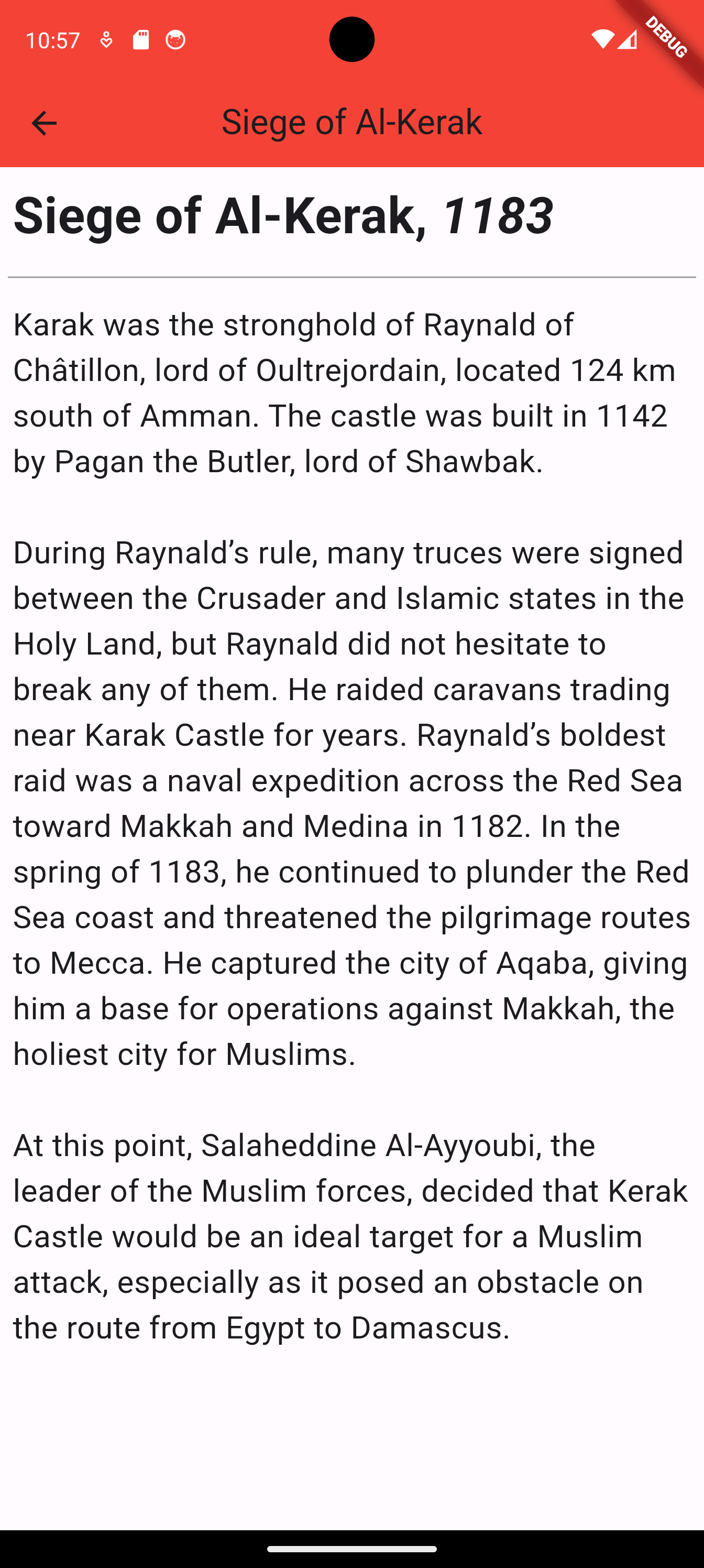
        Battle('1183', 'Siege of Al-Kerak', """
    Karak was the stronghold of Raynald of Châtillon, lord of Oultrejordain, located 124 km south of Amman. The castle was built in 1142 by Pagan the Butler, lord of Shawbak.

    During Raynald’s rule, many truces were signed between the Crusader and Islamic states in the Holy Land, but Raynald did not hesitate to break any of them. He raided caravans trading near Karak Castle for years. Raynald’s boldest raid was a naval expedition across the Red Sea toward Makkah and Medina in 1182. In the spring of 1183, he continued to plunder the Red Sea coast and threatened the pilgrimage routes to Mecca. He captured the city of Aqaba, giving him a base for operations against Makkah, the holiest city for Muslims.

    At this point, Salaheddine Al-Ayyoubi, the leader of the Muslim forces, decided that Kerak Castle would be an ideal target for a Muslim attack, especially as it posed an obstacle on the route from Egypt to Damascus.
    """),
        Battle('1187', 'Siege of Al-Quds', 'Summary of Siege of Al-Quds'),
        Battle('1187', 'Battle of Hittin', 'Summary of Battle of Hittin'),
        Battle('1187', 'Siege of Sour', 'Summary of Siege of Sour'),
        Battle('1187', 'Battle of Marj Oyoun', 'Summary of Battle of Marj Oyoun'),
        Battle('1188', 'Siege of Safd', 'Summary of Siege of Safd'),
        Battle('1189', 'Siege of Akka', 'Summary of Siege of Akka'),
        Battle('1188', 'Siege of Borzia Fortress', 'Summary of Siege of Borzia Fortress'),
        Battle('1188', 'Siege of Sohyoun Fortress', 'Summary of Siege of Sohyoun Fortress'),
      ];
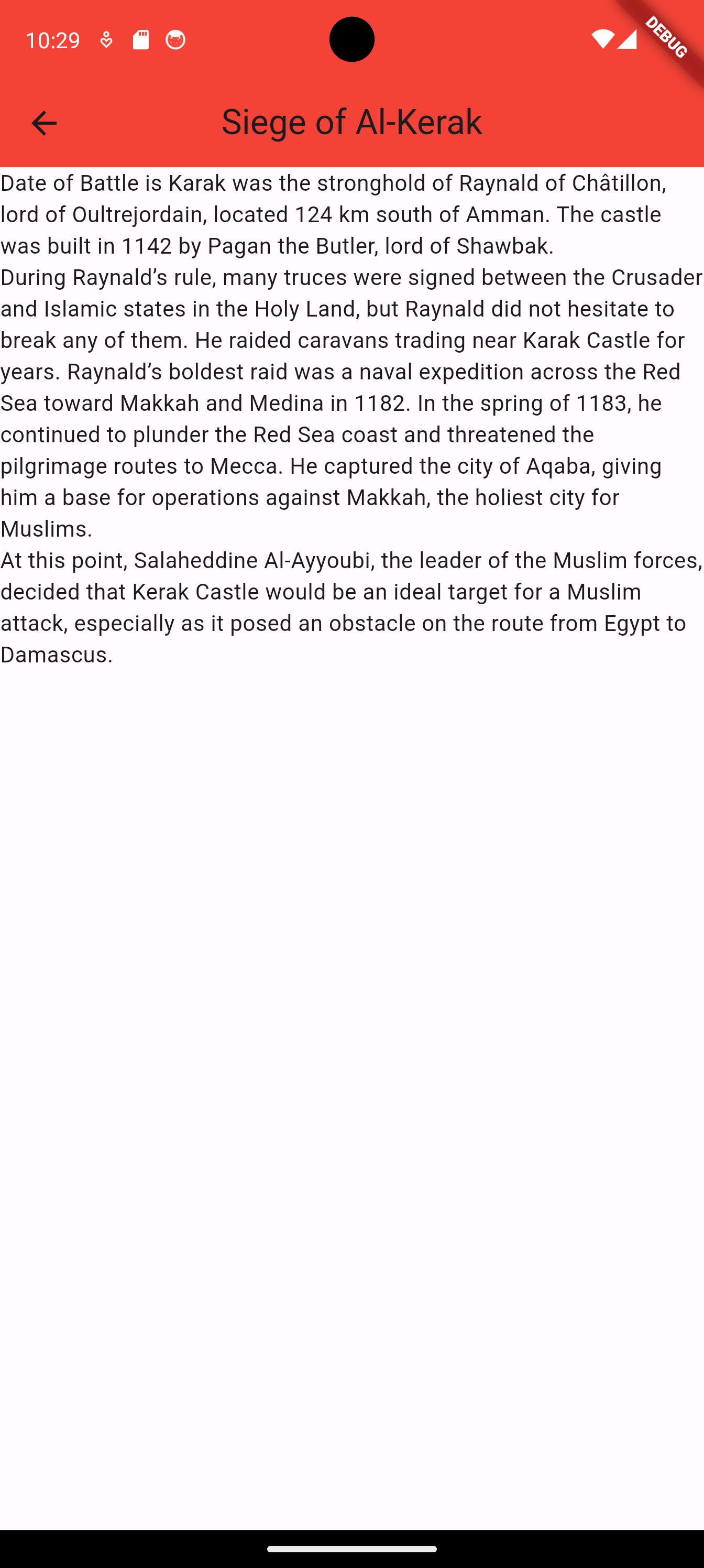
We then change BattleScreen to show the summary instead of the date.
battle_screen.dart
    import 'package:course_app/utils/battle.dart';
    import 'package:flutter/material.dart';

    class BattleScreen extends StatelessWidget
    {
      Widget build(BuildContext context)
      {
        // We capture the arguments in the variable args
        final args = ModalRoute.of(context)!.settings.arguments as Map<String, dynamic>?;
        // We then get our data, in this case, a Battle object
        // If we received name and date, we will catch
        // everyone in a different variable
        Battle battle = args?['battle'];
        return Scaffold(
          appBar: AppBar(
              title: Text(battle.name!),
              backgroundColor: Colors.red,
              centerTitle: true,
            ),
            body: Text('Date of Battle is ${battle.summary}'),
        );
      }
    }
1.4 Beautifying the Battle Screen
We can add a bit of formatting using padding and text styles.
battle_screen.dart
    import 'package:course_app/utils/battle.dart';
    import 'package:flutter/material.dart';

    class BattleScreen extends StatelessWidget
    {
      Widget build(BuildContext context)
      {
        // We capture the arguments in the variable args
        final args = ModalRoute.of(context)!.settings.arguments as Map<String, dynamic>?;
        // We then get our data, in this case, a Battle object
        // If we received name and date, we will catch
        // everyone in a different variable
        Battle battle = args?['battle'];
        return Scaffold(
          appBar: AppBar(
              title: Text(battle.name!),
              backgroundColor: Colors.red,
              centerTitle: true,
            ),
            body: Column(
              crossAxisAlignment: CrossAxisAlignment.start,
              children: [
                Padding(
                  padding: const EdgeInsets.all(8.0),
                  child: Row(
                    children:
                    [
                      Text('${battle.name}, ',
                        style: TextStyle(fontSize: 32, fontWeight: FontWeight.bold),
                      ),
                      Text('${battle.date}',
                        style: TextStyle(fontSize: 32, fontWeight: FontWeight.bold, fontStyle: FontStyle.italic),
                      ),
                    ],
                  ),
                ),
                Divider(indent: 5, endIndent: 5, thickness: 1, color: Colors.grey[500],),
                Container(
                  padding: EdgeInsets.all(8.0),
                  child: Text('${battle.summary}',
                  style: TextStyle(fontSize: 20)),
                ),
            ],)

        );
      }
    }